Groupot at Firefox OS day

screenshot Last Friday I had the opportunity to attend the Firefox OS day in UPM organized by movilforum. Buongiorno, where I work, sent Javi and myself to learn about Firefox OS, how to develop apps and upload them to Firefox OS Marketplace. Thanks Carolina :)
Before lunch there were some talks. They explained all about Firefox OS, the new operating system for mobile phones that is just starting.

The objective of Mozilla and Telefónica, their partner in this project, is not to compete with the best Android and iOS devices, but to replace feature phones. At least for the moment.

The novelty in Firefox OS is that all the applications are developed like a web application. HTML5, javascript and CSS3 are all you need to know to create some app for Firefox OS. Even the system applications are done that way. The OS has a linux kernel to run on the phone, but native applications are just HTML5 applications. It’s important to say that this doesn’t mean you need to be connected to the internet for them to work. They can be installed and they will run with no connection just like an Android or iPhone application does.

After lunch there was a hackathon of Firefox OS apps. Working on teams we had to create some application for Firefox OS in one of the 5 categories for the contest. Our idea was Groupot, an application to manage the accounting in groups, and it only fitted in the Open Category.

It was possible to have some work done before the hackathon day, so we started the application the week before, but most of it was created during the 3 hours of the hackathon.

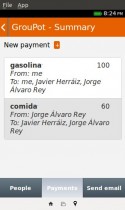
Groupot allows you to manage the accounting for groups. Instead of paying everything between everyone or putting money for a pot that is then used to pay, Groupot takes note of every payment and then sends a summary of all the expenses and the suggested payments to settle all the debts. Payments in a Groupot event can be for the whole group or just for a subset of the users.

After the 3 hours of the hackathon there was a demo of every project. At that point we had Groupot working with all the functionalities needed for an event: creating an event, adding users, adding payments and getting the summary and optimized payments to settle the debts. We still have a lot of work to do to improve it, but it already solves the problem it was created for! Groupot is open source, go check it out at https://github.com/buongiorno-ffos/groupot. We’ll share a link to the application in Firefox OS Marketplace and Appsfuel when they are published.

After all the projects were demoed the jury announced the prizes and Groupot won the Open Category :-D . I can’t remember the winners on all the categories, they will be in movilforum blog soon. There were a lot of good apps and ideas!

jffos_winners
We won a Geeksphone Peak. I’ve been already testing it and I like the phone and I think the idea of using web applications for the OS is good. I still miss a lot of applications in the Marketplace, but they are just starting and that’s why they are doing these hackathons, to get developers doing apps for their Marketplace.

3 words a day – Spanish Chrome Web Store contest winners!

We haven’t posted yet about our latest project and we are already announcing that we won the Spanish Chrome Web Store contest :D

3 words a day screenshot

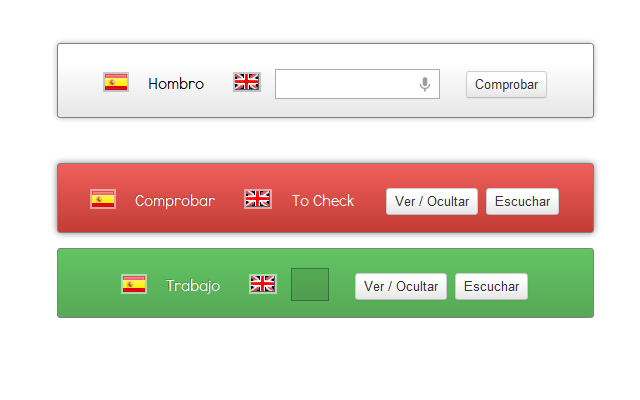
The Chrome App is called 3 words a day and will help you learning 3 English words every day. Just 3 words every day so you can do it as soon as you get the notification.

It shows a word in Spanish and you have to use the microphone to say it in English or just write it. Once you get it right or fail three times you’ll be able to listen to the correct pronunciation using Text To Speak from Google Chrome.

You will have the list of all the previous words in the game to review them when you want.

The Spanish Chrome Web Store contest was announced during last November. For some time, specially during a trip to London we kept thinking of ideas to develop for the contest. There we thought about the idea of learning three words every day. Judith’s friends sent her 3 words every day that she had to translate, so we thought of doing it for the contest. With David and Mariade we kept thinking how to do it right.

Accessibility was a very important point of the contest, so we added the microphone input, the text to speak, notifications, focus management in the html form, and everything we could.

After several beta versions developed and tested the application was working fine. But it missed a good design. Many thanks to Jorge and Javi for their work there.

And finally, a good set of words provided by Guille was also needed to make it interesting. The test words were ok but just for that.

The application won the Education category and also the global prize. We got 6 Chromebooks (including the one I’m using to write this post :) and 3 tickets to Google I/O :D We’ll be there this June!

Thanks to everyone who helped with the chrome app. I hope you enjoy the Chromebooks ;)
@jorgelamb

Linked User Feedback

LUF logoLinked User Feedback (LUF) is a prototype I led while in iSOCO, as part of our work on the SOA4All project.

The LUF service is basically a RESTful API that permits publishing and retrieving user-generated feedback in the forms of ratings, comments and tags. This information is semantically stored in an RDF repository following the Review Vocabulary and the Tag Ontology (as in revyu.com), and exposed as Linked Data. In SOA4All, we used it mainly interconnected with other components of the SOA4All Studio to provide feedback on services.

More technical stuff can be found at http://soa4all.isoco.net/luf/about/; I notice that the panel featuring ratings, comments and tags on the right may be crashing, though. ;)

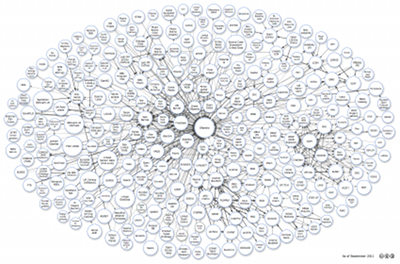
We opensourced the code into GitHub, and we also used it in the Web N+1 project, for ratings on Linked Data from El Viajero. Additionally, we also processed some ratings from the Linked Movie Data Base, and finally we also submitted the dataset to CKAN (now “the data hub”)…  and the happy end is that it is now part of the LOD cloud:

Linked Open Data Cloud

Ok, it will be difficult to find our bubble in there, but if you open the diagram, a hint is that we’re just at the Northern end. :)

Bottle Top Race for Android

Bottle Top Race promotional image

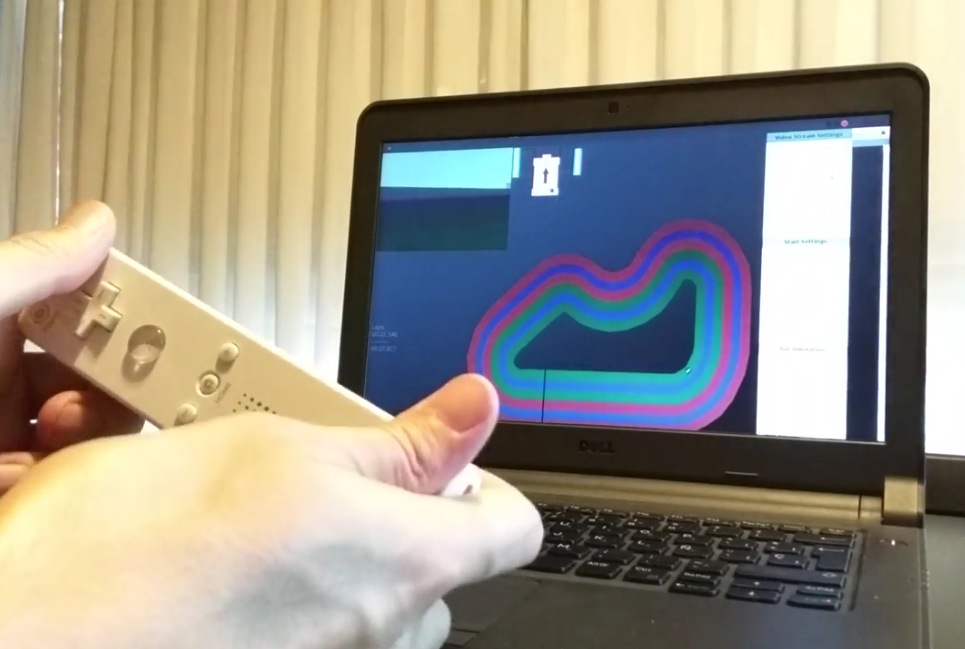
Bottle Top Race for Android is our new game in the Android Market. It is a racing game that is played by hitting the phone like if it was the bottle top. The harder you hit it, the longer the shot.

Check out the video to see how to play this game. First click on the screen to point where you want to move the bottle top, and then hit the phone at the bottom, like hitting a bottle top.

It is a multiplayer game for an unlimited number of players. Select the number of players in the game menu and race against your friends in one phone.

In this first version there are two different circuits: The basic circuit where you can train and learn how to play and the longer circuit that is more difficult.

You can configure the number of laps for the race, so you can decide how long the race will be.

You can download it for free in the Android Market. There are no annoying ads in the game. There’s a donation button inside the game with in-app billing if you feel like donating something for us to create more games and applications ;)

The game can be moved to the SD card of your Android phone, so you don’t have to worry about the space it will take.

If you like it then rate it and add your comments. Your feedback is welcome to improve our applications and games!

Note: We are not responsible if you hit your phone too hard and break it, or you hurt yourself :p


Bottle Top Race menu

Bottle Top Race menu

Bottle Top Race in-game screenshot

Bottle Top race in-game screenshot

Bottle Top Race - icon

Bottle Top Race icon


qr code - bottle top race

miKrow, project at iSOCO

miKrow logoNow that I have just left iSOCO (and joined Playence), I thought it was a good opportunity to describe in this blog a couple of the interesting projects I was involved while in there.

miKrow is an innovation prototype where we applied the microblogging approach to knowledge management. There’s plenty of information in http://mikrow.isoco.net so I won’t go into the technical details here. In a nutshell, it was a microblogging system able to understand which topics were mentioned by the users in their tweets short messages, providing them with relevant recommendations both of previous messages and of experts (automatically identified previously through the content they produced).

It all came from a contest for ideas within the company, after which we were able to develop a prototype that was tested in-house. A funny video by Carmen featuring some ants was also produced to explain our concept:

We published the results in a couple of conferences (Álvaro, G., et al. KMIS2010Penela, V., et al., ESWC2011), and we were lucky enough to obtain the “Best Semantic Web In-Use paper” award in the latter. Find below the slides I presented there:

It was great to participate in the development of this tool; I hope they keep the good work and wish them good luck in the following steps with the project!

Participation in the Trans Trash project

Once again, we’ve had the opportunity to work with our cousin @numeroteca, in another collaboration with Basurama in the context of their Trans Trash project (“Understanding waste streams”) and exhibition. As he says, it’s great that our work has been displayed no less than at MIT!

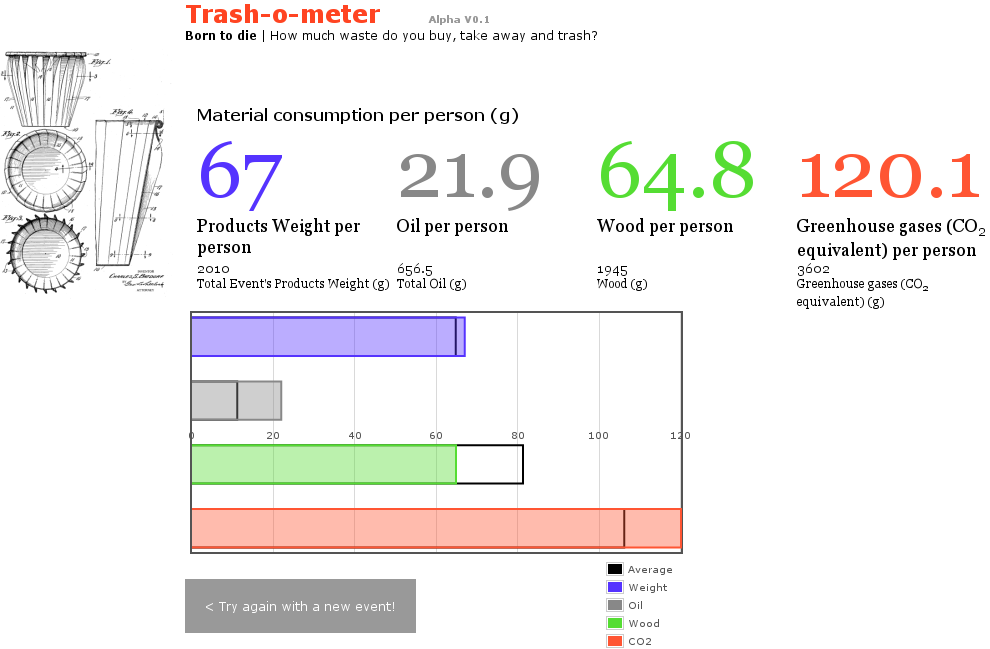
In particular, we’ve helped out in the Trash-o-meter tool (“How much waste do you buy, take away and trash?”), a simple calculator used to measure the quantity of waste generated in MIT events, meetings and lectures. The aim of the project is “to pay attention to the amount of waste produced and address the irony of the so called ‘zero waste’ events”.

We have used the javascript plotting library flot in order to display graphs showcasing the amount of waste per person generated at a given event, based on the data provided by the user. (Trans Trash disclaimer: Waste formulas are work-in-progress, based on the research they are conducting.) These figures are also compared with the average, as shown in the following example:

We have to say we fully share the concern and aims of the project; we’re the kind of people who clean our coffee mug at work, instead of using a plastic cup every day. Indeed, while working on this, we couldn’t help but reminding these thoughts on plastic spoons and our society (via microsiervos.com).

Trans Trash activities keep going on, including a moving meipi map at the exhibition, and we wish the team best of luck with them.

Chameleon Color Picker for Android

Chameleon Color Picker logo

Our first Android application is already in the Android Market! It’s called Chameleon Color Picker and it displays the color of the objects you point the camera to. It also displays the RGB and hexadecimal codes, so you can use that color in any other program.

The idea came from the 0,000001 Megapixels camera post from “No puedo creer que lo hayan inventado” (I can’t believe they invented it).

It’s a free application and it’s available for Android 2.2+ phones with a camera. You can download it from the Android Market or from the following QR code:

http://market.android.com/details?id=com.lamboratory.chameleon

QR code for Chameleon Color Picker

And we thank again  for the logo design. :-)

Also, keep an eye on the following link to see all our Android applications. We only have one for the moment, but have ideas for a few more!

http://market.android.com/developer?pub=Lamboratory


Participation in the 6000km exhibition

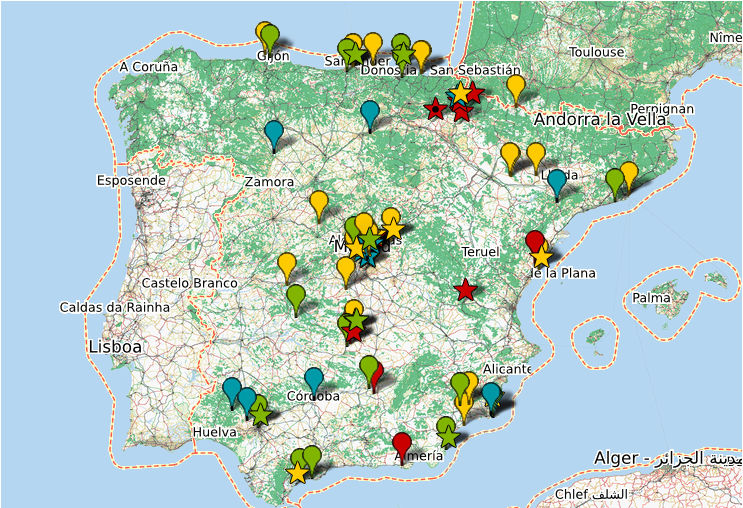
In yet another collaboration between Meipi and Basurama (remember Spermola), we are glad to have participated in our way in the 6000km project, which uses meipi to geolocate the panoramic photographs taken to document “the huge extensions of territory consumption of the large cities in Spain”, and “the uncontrolled growth of cities and the consumption of resources such as land or soil”.

The 6000km project is currently running a exhibition at Huarte contemporary art centre, Navarra: “Paisajes después de la batalla” / “Spain: Landscapes after the battle”. The exhibition, in their own words (Dossier in English) rises some questions:

“What are the effects of the exorbitant growth on the territory? What landscapes have been left for us by this cycle of prolonged economic expansion whose collapse we are witnessing these days? Do we have the ability to reverse some of the disasters committed or at least not to repeat mistakes made during these years? The project’s goal is to explore these landscapes after the battle.”

meipi 6000km


Quite a few panoramic photographs all over Spain have been gathered so far (see map above or explore in meipi.org) along with other documentation. One of the things we have done for the project is improve an automatic script that automatically walks through those locations, which is currently being used in the exhibition. Check that out embedded here (or also in meipi.org):

We look forward to seeing how the exhibition goes; we’ll also be back with more news on 6000km and the Lamboratory participation!

2010 recap

Happy new year everyone! Just a quick post (and not four, like last year;) to sum up what we’ve been working at during 2010. Basically, we’ve kept working around the three big projects we had already running -meipi, tusiyu and tubegraph- and also played with new focused experiments. :)

MEIPI: During 2010, new interesting meipis have been created (there’s more than 11.000 entries in 600 meipis now), and the project has kept growing with features (we’re glad to note that even with external contributions :) and translations, such as Greek.

TUSIYU: We have included new functionalities such as the ability of subscribing to an event by mail or rss, or inviting people by facebook, polishing some other things too. We have participated in some contests and made some analysis on the created events. Still, during the last months we’ve been working on a bigger change, and soon it will be possible to edit the event or one’s vote. Stay tuned for news!

TUBEGRAPH: There’s not much to link about it at this stage, but we’ve been working on integrating our dynamic rating technology in other product… We’re looking forward to announcing it!

OTHER EXPERIMENTS: We played with Linked Data and created a movie quiz (Linked Data Movie Quiz); we also created a Google Chrome extension that gives information about users while you browse (Twitt… Who?) and an application able to process e-mails and automatically perform certain actions (AppEngine Mail Processor).

There’s also been time to tweet (j & g), though it seems that not so much time to post in this blog , and to give some presentations. We hope to keep bringing news during 2011!

AppEngine Mail Processor

Tired of doing repetitive tasks on some emails you receive? AppEngine Mail Processor is here to solve your problems!

Sometimes we receive emails that ask us to click on a link to confirm an account, or to send some data or any other task. Everything that is triggered by an email and that requires an automatic task to process it can be programmed using this application. If the automatic task runs fine you will not have to do it yourself, if the task doesn’t work because something has changed you can always do it manually and fix it for the next time. You will not lose the time to repeat the same task again and you will get a report with the results.

AppEngine Mail Processor is an application designed for Google’s AppEngine application server. This application will receive the emails you choose and execute the actions or tasks you want over them. It is possible to add new actions to do anything you need to do. The application will then send the result of the action back in a mail, you just need to check the result mail and forget it.

AppEngine Mail Processor is open source so you can download it and use it in your applications. You can configure your own tasks or extend the application functionality. If you do, tell us about it!

To install it in your own AppEngine application follow this steps:

  • Create your account and basic application in Google’s AppEngine (http://appengine.google.com/http://code.google.com/appengine/). We used AppEngine for Java version 1.4.0, so use a compatible version.
  • Download AppEngine Mail Processor code from GitHub: https://github.com/lamboratory/AppEngine-Mail-Processor and add it to your application code.
  • Modify web.xml file to process mails by the com.lamboratory.mail.Mail class.
  • web.xml

  • Configure the application to reveive emails in appengine-web.xml.
  • appengine web.xml

  • Implement Action interface if you want to use a new action.
  • Upload your application to AppEngine.
  • Change the mail address in Mail.java class to a valid administrator of you AppEngine application. This is required to send emails from AppEngine.
  • Upload your application to AppEngine.
  • Create a filter in your mail to forward emails based on subject or sender to the desired AppEngine, depending on the Action to execute. To execute example ClickLinksAction you can use click_links@<yourAppEngineApplicationId>.appspotmail.com (Note it’s different from <yourAppEngineApplicationId>.appspot.com).
  • filter

  • If you want to check the logs for your application you’ll need to raise log level to info using logging.properties file.
  • Forget about repeating the same task again!

Note: The idea of this application included having the response mails delivered to your real email account and added to the same thread than the original mail. If this worked you could then create a new filter that archived the full conversation based on the automatic response. Currently, AppEngine deletes the mail headers that are used for thread view in emails like gmail. If you also think that would be useful you can check these links:
http://code.google.com/p/googleappengine/issues/detail?id=2802
http://groups.google.com/group/google-appengine/browse_thread/thread/b80737b41f53541f

Twitt… Quién? (Twitt… Who?)

[English version below]

Twitt… Who? icon

“Twitt… Quién?” es una extensión para Google Chrome que busca usuarios de twitter en las páginas visitadas y muestra información sobre ellos: “Twitt… Quién?” se puede descargar aquí.

twittWho panelLa idea es enriquecer la navegación habitual, proporcionando -no intrusivamente, en un panel desplegable- información básica de los usuarios de twitter que aparezcan en cualquier página. (Al lado de cada nombre encontrado habrá una imagen que permitirá desplegar la información, y sobre el icono de la extensión aparece el número de twitteros encontrados, pudiéndose desplegar la información también desde ahí.) Con esto se consigue no tener que abrir una nueva pestaña para ver esa información, ya que muchas veces encuentra uno nombres de twitteros en alguna página, pero da pereza abrir sus perfiles para saber más de ellos. Además, haciendo login con la cuenta de twitter, la extensión dice si se sigue o se es seguido por los usuarios encontrados, permitiendo hacer follow directamente desde el desplegable. (Por tanto, aunque sea una extensión de twitter, creemos que no es otro cliente de twitter como extensión, sino un concepto diferente:-)

Hemos desarrollado la extensión @jorgelamb@guillelamb (<– al lado de nuestros nombres deberíais ver un iconito si estáis leyendo esto en el lamboratory con la extensión instalada), una vez más con la importante colaboración de nuestro primo Pablo (<– aquí también deberíais ver un iconito;-) en las imágenes y el css para ponerlo todo presentable. En esta ocasión, tenemos que agradecer a otro “Pablo”, @PaulKinlan (<– iconito!;-), el aconsejarnos sobre cómo recorrer el DOM para encontrar un patrón, ya que tuvimos la suerte de charlar con él un poco durante el pasado DevFest en Madrid.

Técnicamente, hemos usado unas cuantas de las APIs de extensiones de Chrome, desde la de OAuth para el login en twitter hasta la de internacionalización (ya que la extensión está tanto en castellano como en inglés).

Somos conscientes de que la extensión no siempre encontrará los nombres o mostrará la información correctamente (por ejemplo, cuando la página carga cosas con AJAX, o use frames, etc.), y seguro que habrá más bugs (aunque esperamos que aún así resulte útil:-), así que adelante con vuestro feedback!

[Spanish version above ;-) ] Continue Reading »

Lamboratory.com
Web: based in blog.txt theme by Scott Allan Wallick modified by montera34